

IPTV Smart Player Pro: M3U/EPG configuration, Chromecast and Android TV
febrero 3, 2026 | by Equipo YKCG
Índice del Articulo
IPTV Smart Player Pro: what it is, how it works and if it is really safe to use it in 2026
If you're investigatingIPTV Smart Player ProYou're probably looking for a direct answer:Does it serve to watch IPTV? Does it bring channels? Is it legal? What are the risks?This guide is written with a practical and technical approach to help you make informed decisions, focusing on the most important:the origin of the content, security and correct use.
How to get the promotion (step by step)
Limited time available promotion
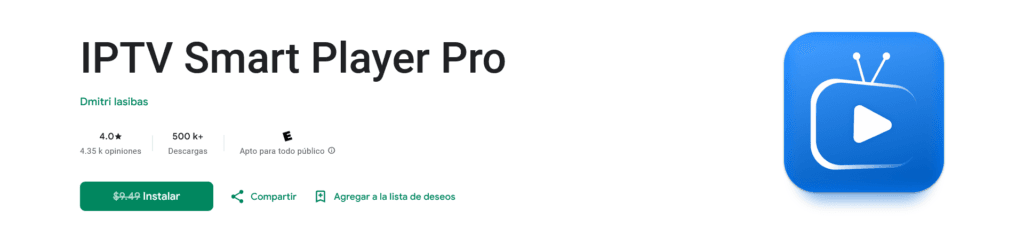
To take advantage of the offer, the goal is to reach the official website on Google Play andend purchase with total $0.00 MXN(when the promotion is active).
- Opens the official promotion link:IPTV Smart Player Pro in Google Play.
- Check the price shown on the tab (may vary by region and offer availability).
- PulseBuyoInstall(depending on how the offer appears).
- Confirm the payment and verify that the total is$0.00 MXNbefore the end.
- Complete the process and await confirmation from Google Play.
Honest summary (in 30 seconds)
The most important thing before installing it
- The app can be legal, butlegality depends on the contentthat you load (lists/licences).
- The highest riskis usually inIPTV lists of doubtful origin(tracking, redirections, scams).
- The safe recommendation is:use legitimate lists(official operators, open channels, authorized content).
What is IPTV Smart Player Pro?
IPTV Smart Player Prois a type applicationIPTV player(IPTV player) for Android that allows you to play streams and lists using common formats likeM3UoM3U8. It is a “visor” that interprets your list and displays the associated content.
The key difference between aplayerand aIPTV serviceis that the playerIt's not the source.. The real source is the server to which your list is aimed. That is why:
What does “IPTV” mean clearly?
IPTV (Internet Protocol Television) distributes TV or video using internet instead of traditional antenna/cable. For the end user, the important thing is to understand thatstability, quality and legality depend on the supplier and the listNot just the player.
How does it work in practice?
The operation is best understood as a three-piece chain:app,listandserver. Most problems (cuts, low quality, lists that “die”) usually come from the list or from the server.
| Piece | What is it? | Main risk |
|---|---|---|
| The app (player) | Interface + player that interprets the list and plays the stream. | Excessive permissions in cloned apps or APKs outside Google Play. |
| The list (M3U/M3U8) | File or URL with channels, categories and links to streams. | Fake lists, tracking, redirections, phishing and endpoint changes. |
| The IPTV server | Real source of content (streams). | Variable quality, IP logging, duty-free content, frequent falls. |

Legality: what is and what is not
Accurate answer:the app as a player can be legal, butlegality depends on the contentThis explains why some IPTV apps are in official stores: they don't distribute content, they just reproduce it.
Normally legal use
- Open channels (public TV or authorized streams).
- Official operators with transmission rights.
- Own content or with permission (authorized private streams).
Normally illegal use
- Premium packages without official subscription.
- Redeployment of protected signals without license.
- Lists that promise “everything” for free or for a minimum fee.
Real safety: risks and how to reduce them
In IPTV, the most frequent risk is not the player, but the ecosystem: shared lists, shortened links, unknown providers, cloned websites and modified APKs. Security is achieved by controlling thesource of contentand applying digital hygiene.
Typical risks with questionable IPTV lists
- Tracking:IP record and consumption habits.
- Redirections:Endpoints that change without warning.
- Phishing:pages that mimic portals to steal credentials or payments.
- Amended APKs:“pro versions” outside Google Play with adware/spyware.
- Network manipulation:suspicious changes in DNS or configuration.
Security Checklist
- Install only from Google Play.
- Do not grant unnecessary permits(SMS, contacts, accessibility without reason).
- UseReliable DNSand watch strange redirections.
- Avoid lists with shorteners or recent/unknown domains.
- Keep Android and router updated.

Quick Setup Guide (M3U / EPG)
Most common case: you already have a listM3U/M3U8(file or URL) and you want to see it sorted by categories and, if your provider offers it, withEPG(programming guide).
Step 1: Prepare your list
- Local file: Save it in a known folder.
- URL: Check domain and avoid shorteners.
- If you need to “install something extra” to work, download it.
Step 2: Add the list
- EnterAdd Playlist / Add list.
- Choose file or URL.
- Assign a name to the list.
- Saves and lets you index channels/categories.
Step 3 (optional): configure EPG
If the provider includes EPG, add the URL to the corresponding section and sync. If it does not load, the problem is usually the source (URL or server), not the player.
Chromecast, Android TV and Smart TV
To view IPTV on large screen, stability depends on three factors:device power,Stream qualityandyour network. A compatible player helps, but does not replace a stable source.
Chromecast
- Best with Wi-Fi 5 GHz and good signal.
- If there are cuts, check the network and stream quality first.
Android TV / Google TV
- More stable for daily use.
- In TV Box limited: optimized lists and streams with reasonable bitrate.
Smart TV without Android
It usually resolves with Chromecast or TV Box. For consistent compatibility, a TV Box with Android/Google TV is usually the most practical option.
Comparative (criteria to choose an IPTV player)
| Criterion | What to review | Why it Matters |
|---|---|---|
| Official source | Play Store or verifiable source. | Less risk of modified APK. |
| Compatibility | Android TV/Google TV + cast. | Best TV experience. |
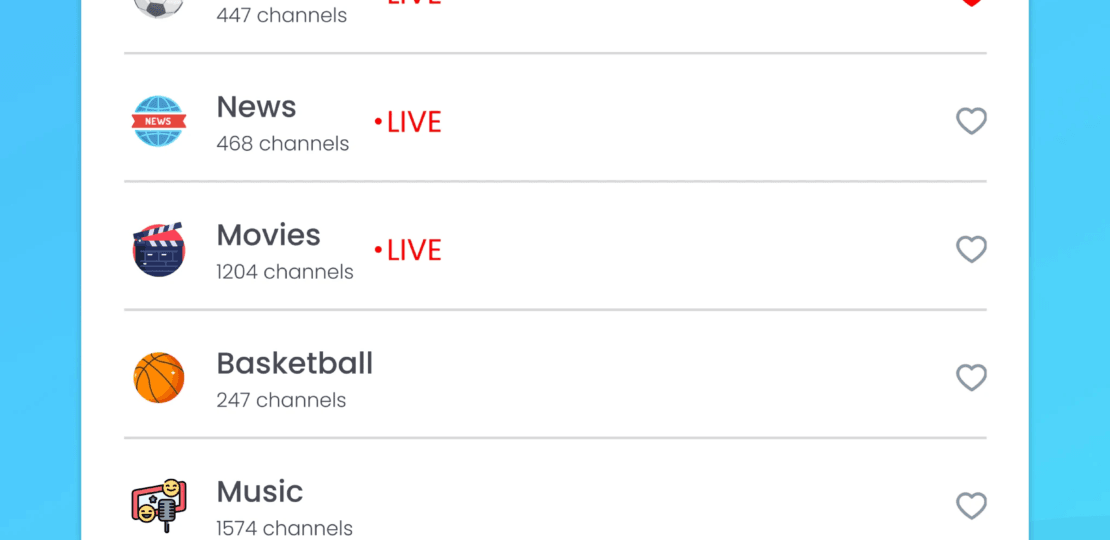
| Large lists | Favorites, filters, search. | Less lag, better navigation. |
| EPG | Synchronization and stable support. | Clear programming. |
| Privacy | Data permissions and practices. | It reduces unnecessary exposure. |
FAQ
Does IPTV Smart Player Pro bring channels or lists included?
No. It is a player. To view content you need to add your list (M3U/M3U8) or a compatible source.
How do I take advantage of the promotion when it is active?
Enter the official link on Google Play, check the price on the tab and finish the purchase by checking that the total is$0.00 MXNbefore confirming. If the price is different, the offer may not be active or apply for your account/region.
Is it legal to use IPTV Smart Player Pro?
The app may be legal, but the legality depends on the content and licenses of the provider. Premium lists without rights are usually illegal.
What risks are there with free IPTV lists?
Tracking, redirects, phishing and APK modified. Mitigates using legitimate lists, avoiding opaque sources and taking care of permissions and network.
Can it be used with Chromecast or Android TV?
Yes. If there are cuts or pixels, check the stability of the stream and your Wi-Fi network. Changing the player rarely solves an unstable server.
Conclusion
IPTV Smart Player Pro is a useful IPTV player for Android/Android TV/Chromecast if used with legitimate fonts. The actual experience depends mainly on thequality of the supplier, thelist securityand thestability of your network.
Direct access to promotion
Open the tab in Google Play and, if the offer is active,complete purchase with total $0.00 MXN.Limited-time promotion.
RELATED POSTS
View all

Clear Wave Water Exact Pro for free: how to eject water from speaker on Android
febrero 23, 2026 | by Equipo YKCG
DVDFab Blu-ray Copy: Get a Full License for 1 Year
noviembre 27, 2022 | by Equipo YKCG
AnyMP4 IOS Cleaner +8211; Gift License for 1 year
diciembre 28, 2022 | by Equipo YKCG