

Altered DNS: How to detect and restore your internet on Windows
enero 22, 2026 | by Equipo YKCG
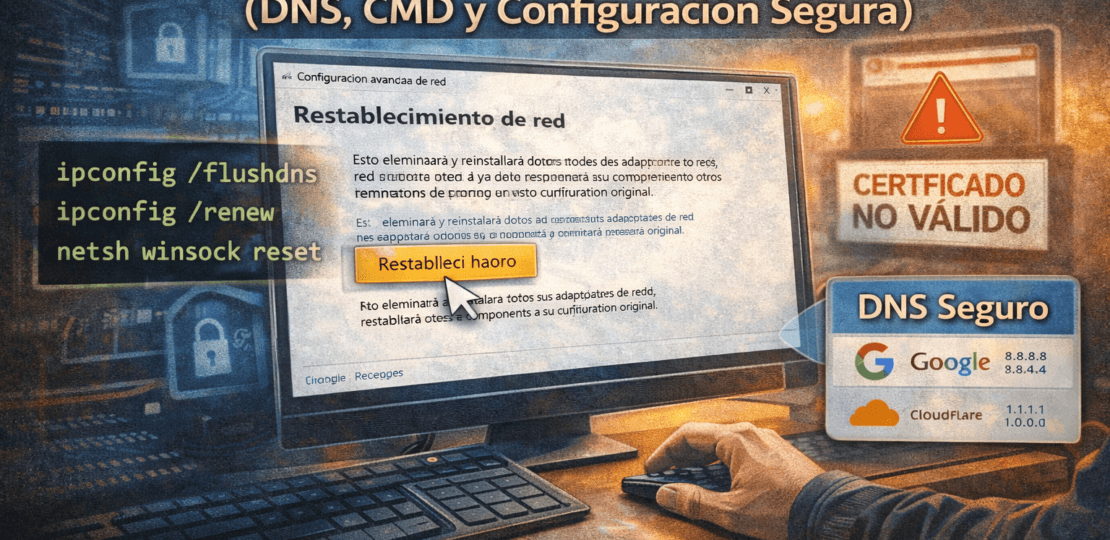
Do you feel that your internet connection is unstable or that some websites take too long to load? Sometimes, the problem is not your service provider, but an alteration in the internal parameters of your system.reset network settingsis the first step to regain full control of your navigation and ensure your privacy.
Índice del Articulo
Why can your DNS be a risk?
The DNS (Domain Name System) is the "telephone directory" of the internet. Some types of malware modify these addresses to redirect you to fraudulent servers. This means that even if you type in your bank's real address, you might end up in an exact copy designed to steal your credentials.
Keep onesecure network configurationIf you notice strange redirections or "unvalid certificate" errors on known sites, your DNS is likely to have been altered.
How to reset the network in Windows 11 and 10
Windows includes a "panic button" feature that reinstalls network adapters and returns all components to their original state.Important note:This will erase your saved Wi-Fi passwords and VPN connections.
Steps to reset:
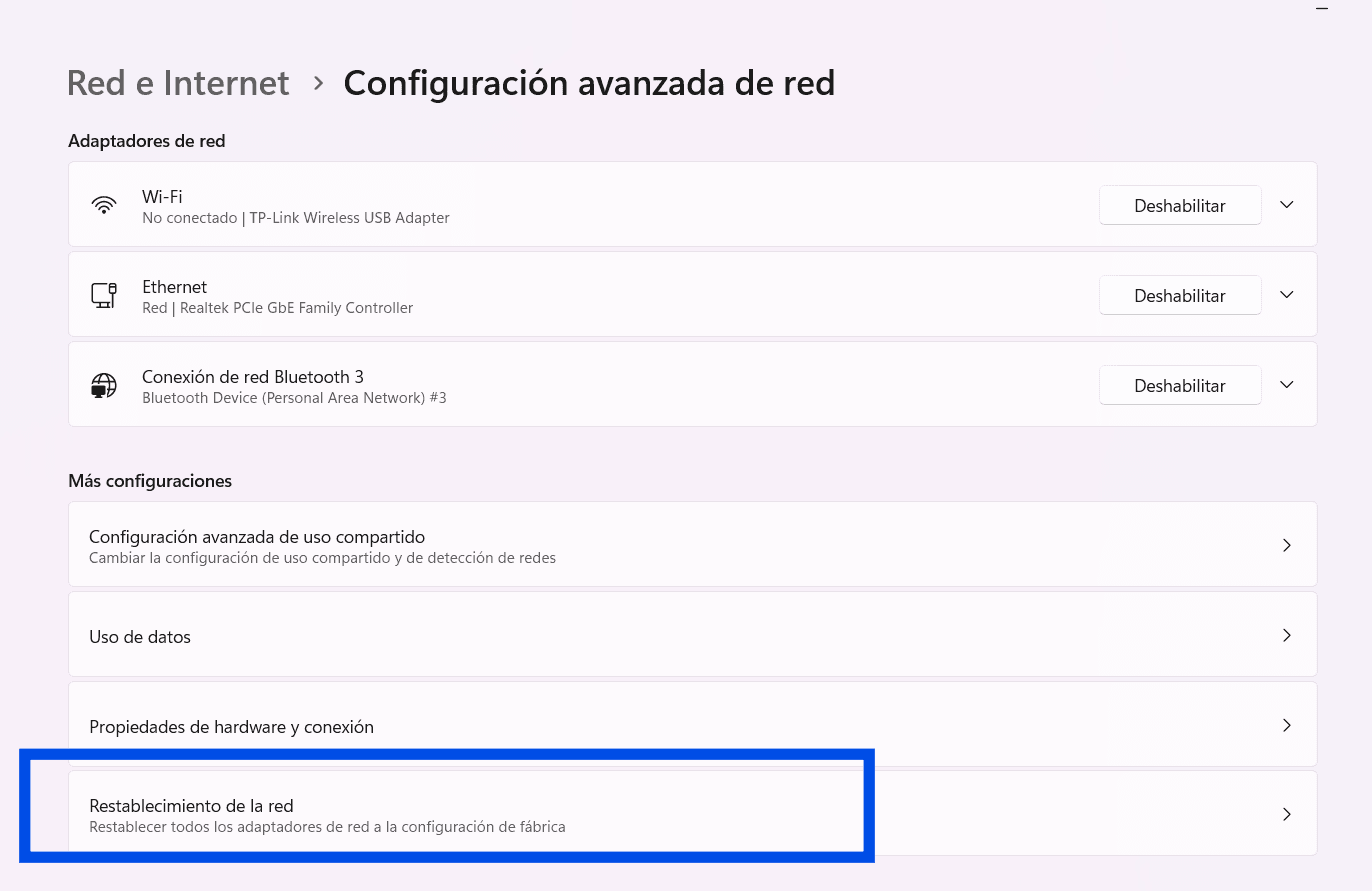
- Go toConfiguration > Network and Internet.
- SelectAdvanced Network Settings.
- ClickNetwork restoration.
- Press the "Reset Now" button and confirm the operation.
After restarting, Windows will have cleaned any corrupt route table or DNS configuration forced by malicious software, allowing you to apply apreventive maintenancefrom scratch.
Deep cleaning using System Symbol
Sometimes, the "memory" of your network saves infected addresses. To empty this memory (cache), you can use a series of commands that will refresh your connection instantly.
ipconfig /registerdns
ipconfig /release
ipconfig /renew
netsh winock reset
When executingnetsh winock reset, you are repairing the catalog that manages how Windows applications access the network. It is one of the most effective solutions forfix internet errorsafter removing a virus.
How to assign safe DNS manually
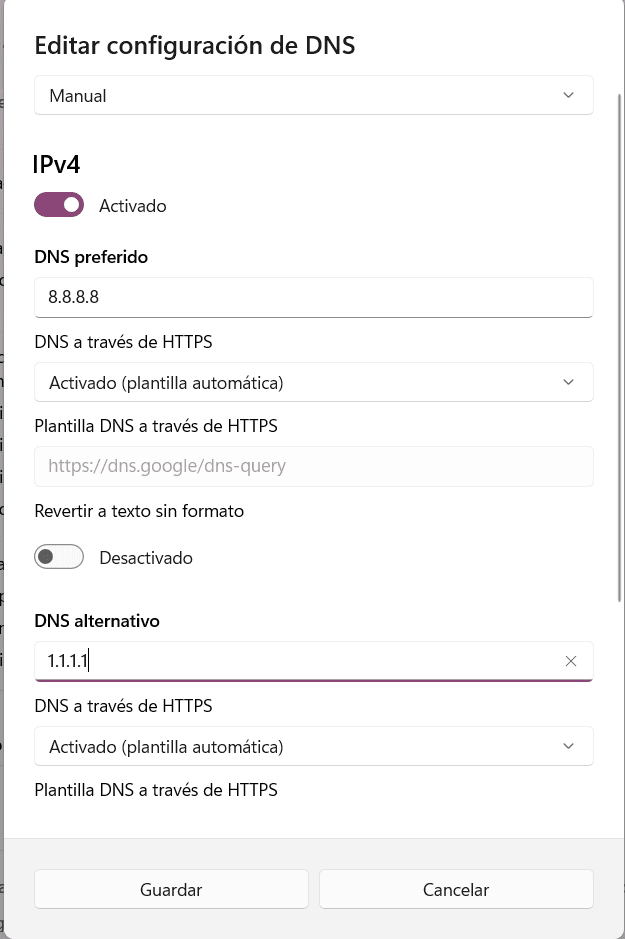
If you want to prevent your provider or a third party from tracking your queries, you can assign high-security DNS servers. The most recommended in 2026 are still those of Google (8.8.8.8) and Cloudflare (1.1.1.1).
- Get in on theControl Panel > Sharing Networks and Resources Center.
- ClickChange Adapter Settings.
- Right click on your connection (Wi-Fi or Ethernet) >Properties.
- SelectInternet Protocol version 4 (TCP/IPv4)and click Properties.
- Mark "Use the following DNS server addresses" and enter the desired values.
This setting not only protects your navigation, but often allowsimprove load speedof the websites by reducing the resolution time of names.

FAQ
Will I lose my files when I reset the network?
No. Network reset only affects connection drivers and settings. Your photos, documents, and programs will remain intact.
Which DNS is faster?
Depending on your geographical location. Generally, 1.1.1.1 (Cloudflare) has the lowest latency, but you can do speed tests to confirm which one suits you best.
RELATED POSTS
View all


Recover Licenses and Passwords with Magic Recovery Key Pro
septiembre 27, 2025 | by Equipo YKCG
RecMaster PRO License Key Genuine FREE 1 Year License
junio 17, 2025 | by Equipo YKCG
Ashampoo Registry Cleaner 2: Optimized algorithm
mayo 11, 2021 | by Equipo YKCG