

UltraPic Pro: improves photos and removes AI objects from browser
mayo 21, 2026 | by Equipo YKCG
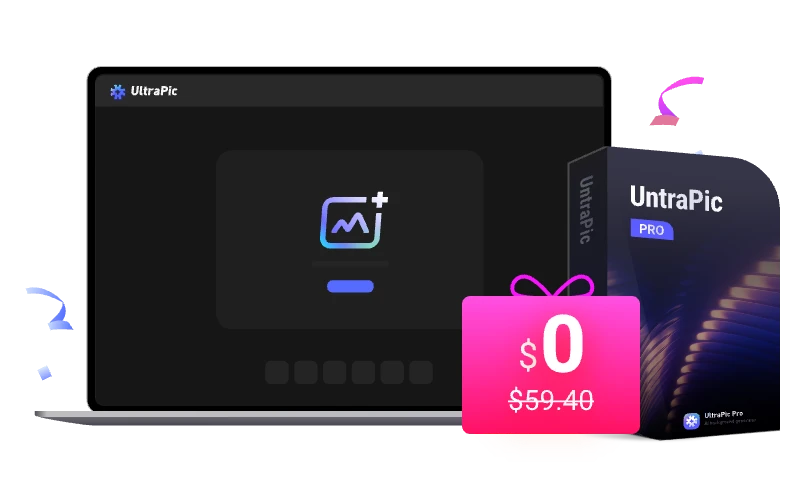
Índice del Articulo
UltraPic Pro: Remove Watermarks and Improve Images with AI — Complete Guide and Official Promotion
UltraPic Prois an artificial intelligence-based online tool designed to quickly edit images from the browser. It allows you to remove watermarks, improve resolution, restore old photos and apply automatic enhancements without installing software.
In this guide we analyze what the tool can really do, how to use it correctly and what results to expect if you decide to take advantage of theofficial temporary leave promotioncurrently available.
Updated:15/03/2026
Who is this tool for?
- Content creators need to edit images quickly.
- Users who want to remove objects or watermarks with AI.
- People who work with social networks, blogs or miniatures.
- Users who prefer solutionsonline without installing software.
What UltraPic Pro does (and what it DOES NOT)
UltraPic Pro uses artificial intelligence models to analyze images and apply automatic modifications. Its main focus is to simplify editing tasks that normally require complex programs.
What you can do:
- Remove watermarks from images.
- Remove unwanted objects or items.
- Improve photo resolution with AI.
- Restore old or damaged images.
- Optimize photos for social networks or web content.
Important limitations:
- It doesn't always eliminate complex brands perfectly.
- It does not replace professional editors like Photoshop.
- The quality depends on the original resolution of the image.
- It requires internet connection because the processing is done online.
If you need to manage or organize large photo libraries, a more file management-oriented alternative would beAshampoo Photo Commander 17.
How to use UltraPic Pro correctly
Being a web tool, the process is quite simple and does not require installation.
- Visit the official UltraPic Pro site.
- Select the function you want to use (e.g. remove watermark).
- Upload the image from your computer.
- Mark the area you want to remove or improve.
- Let AI process the image.
- Download the final result.
Recommended settings according to use
| Scenario | Recommended Settings |
|---|---|
| Remove watermark | Select Accurate Area and Process in Maximum Quality |
| Improve Resolution | Upload original image without compression |
| Photo restoration | Use scanned image with good lighting |
Expected results in practice
Artificial intelligence can significantly improve images, but does not perform miracles. Actual tests show:
- Removal of simple brands with good results.
- Notable improvements in small image resolution.
- Automatic correction of noise or artifacts.
However, in complex watermarks or overlapping areas with much detail, a slight trace may remain.
Requirements and compatibility
- Modern browser (Chrome, Edge, Firefox or Safari).
- Stable internet connection.
- Compatible with Windows, macOS and Linux.
- It also works on tablets and some mobiles.
Visit official UltraPic Pro site
Official promotion available
Verified promotion:6 month free license available until the26 March 2026.
Steps to get the license:
- Access the promotion page.
- Click“Continue to Destiny”.
- The page will display the activation license.
- Follow the instructions indicated on the same page to activate it.
Alternatives that are also worth considering
- Photoshop (Adobe)– best professional choice for advanced editing.
- Canva AI tools– good choice for fast content on social networks.
- Topaz Photo AI– specialized in image enhancement with AI.
If you need tools related to unlocking or recovering devices, you can also review this experience withDr.Fone Screen Unlock.
Recommended readings
- More useful tools and technological promotions
- Advanced photo management with Ashampoo
- Experience with mobile recovery tools
Editorial transparency
This article is for informational and editorial purposes. It may include links to public promotions available on the internet.
We do not have a direct relationship with the software developer unless explicitly stated. Promotion or license conditions may change without notice.
We recommend always reviewing the official product page before using any service or activation.
UltraPic Pro: Remove Watermarks and Improve Images with AI — Complete Guide and Official Promotion
UltraPic Prois an artificial intelligence-based online tool designed to quickly edit images from the browser. It allows you to remove watermarks, improve resolution, restore old photos and apply automatic enhancements without installing software.
In this guide we analyze what the tool can really do, how to use it correctly and what results to expect if you decide to take advantage of theofficial temporary leave promotioncurrently available.
Updated:15/03/2026
Who is this tool for?
- Content creators need to edit images quickly.
- Users who want to remove objects or watermarks with AI.
- People who work with social networks, blogs or miniatures.
- Users who prefer solutionsonline without installing software.

What UltraPic Pro does (and what it DOES NOT)
UltraPic Pro uses artificial intelligence models to analyze images and apply automatic modifications. Its main focus is to simplify editing tasks that normally require complex programs.
What you can do:
- Remove watermarks from images.
- Remove unwanted objects or items.
- Improve photo resolution with AI.
- Restore old or damaged images.
- Optimize photos for social networks or web content.
Important limitations:
- It doesn't always eliminate complex brands perfectly.
- It does not replace professional editors like Photoshop.
- The quality depends on the original resolution of the image.
- It requires internet connection because the processing is done online.
If you need to manage or organize large photo libraries, a more file management-oriented alternative would beAshampoo Photo Commander 17.
How to use UltraPic Pro correctly
Being a web tool, the process is quite simple and does not require installation.
- Visit the official UltraPic Pro site.
- Select the function you want to use (e.g. remove watermark).
- Upload the image from your computer.
- Mark the area you want to remove or improve.
- Let AI process the image.
- Download the final result.
Practical advice:For better results use high resolution images. AI tools work best when the image has enough detail.

Recommended settings according to use
| Scenario | Recommended Settings |
|---|---|
| Remove watermark | Select Accurate Area and Process in Maximum Quality |
| Improve Resolution | Upload original image without compression |
| Photo restoration | Use scanned image with good lighting |
Expected results in practice
Artificial intelligence can significantly improve images, but does not perform miracles. Actual tests show:
- Removal of simple brands with good results.
- Notable improvements in small image resolution.
- Automatic correction of noise or artifacts.
However, in complex watermarks or overlapping areas with much detail, a slight trace may remain.
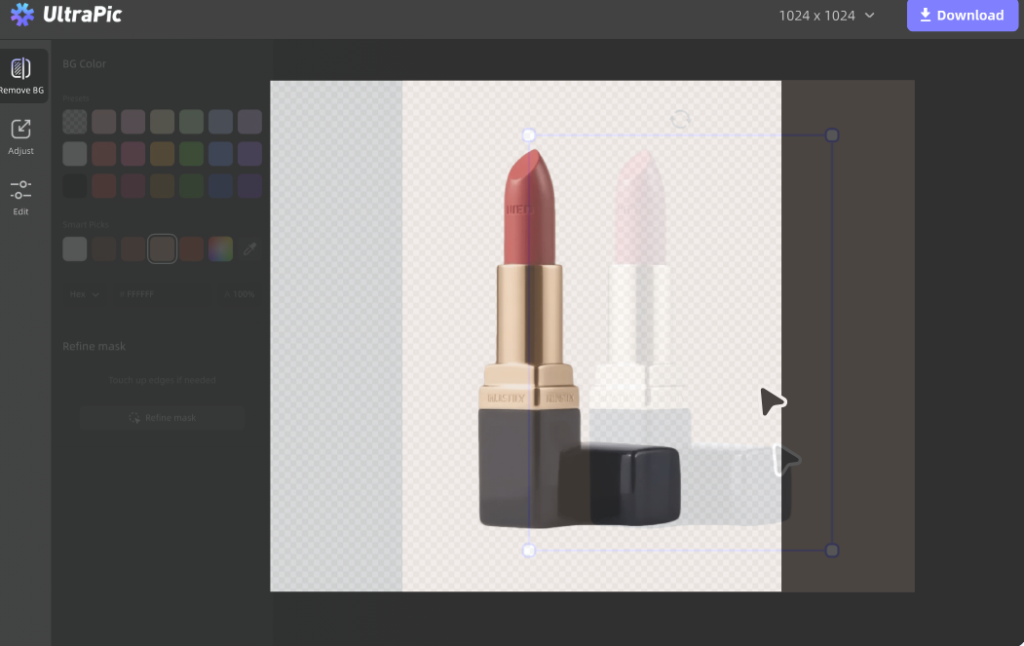
Requirements and compatibility
- Modern browser (Chrome, Edge, Firefox or Safari).
- Stable internet connection.
- Compatible with Windows, macOS and Linux.
- It also works on tablets and some mobiles.
Visit official UltraPic Pro site
Official promotion available
Verified promotion:6 month free license available until the26 March 2026.
Steps to get the license:
- Access the promotion page.
- Click“Continue to Destiny”.
- The page will display the activation license.
- Follow the instructions indicated on the same page to activate it.
Alternatives that are also worth considering
- Photoshop (Adobe)– best professional choice for advanced editing.
- Canva AI tools– good choice for fast content on social networks.
- Topaz Photo AI– specialized in image enhancement with AI.
If you need tools related to unlocking or recovering devices, you can also review this experience withDr.Fone Screen Unlock.
Recommended readings
- More useful tools and technological promotions
- Advanced photo management with Ashampoo
- Experience with mobile recovery tools
Editorial transparency
This article is for informational and editorial purposes. It may include links to public promotions available on the internet.
We do not have a direct relationship with the software developer unless explicitly stated. Promotion or license conditions may change without notice.
We recommend always reviewing the official product page before using any service or activation.
RELATED POSTS
View all


SoftOrbits AI Photo Editor: photo editor with free AI for Windows
febrero 6, 2026 | by Equipo YKCG
Batch Picture Resizer: Resize batch images on Windows (free license)
febrero 6, 2026 | by Equipo YKCG

iTop Screen Recorder: complete guide, free license and safe use in 2026
abril 18, 2026 | by Equipo YKCG