

Free Hunter Pro Malware for 3 PCs: Is this official promotion worth it?
mayo 21, 2026 | by Equipo YKCG
Índice del Articulo
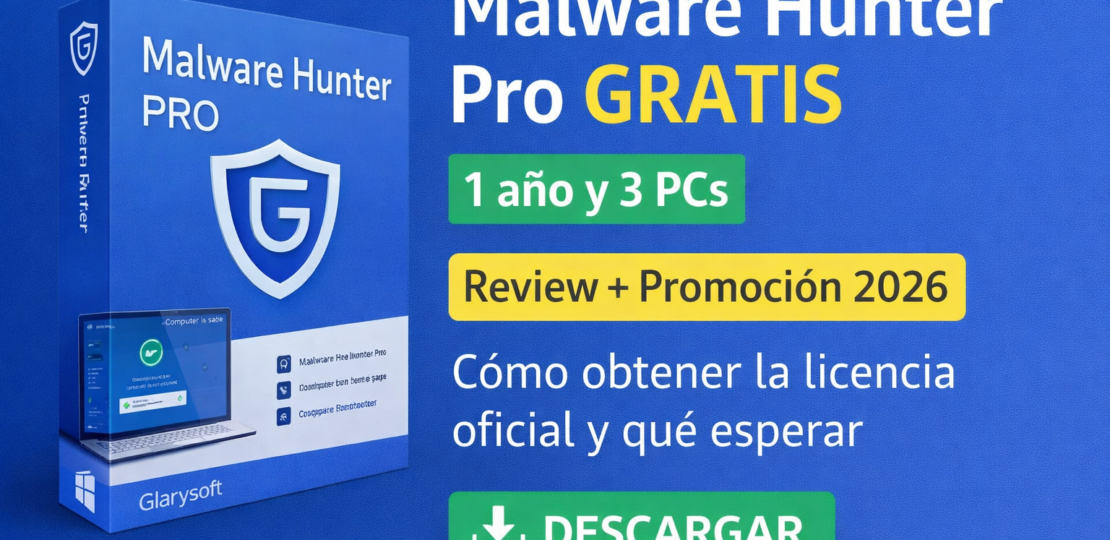
Malware Hunter Pro: Guide + honest review (and official promotion) for Windows 10/11
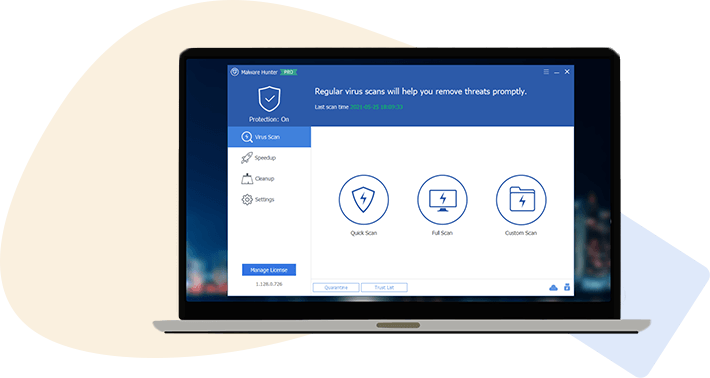
Malware Hunter Pro is a security tool for Windows designed to quickly detect and clean malware, with on-demand scanning options and real-time protection (depending on settings).
Updated:18/02/2026
Who's it for?Users ofWindows 10/11(PC and laptops) who want an extra layer of detection/cleaning, and who seek to understandwhat to really expectNo exaggerated promises.
1) What it does and what it DOES NOT do
What's right?
- It detects threats (malware, adware, PUPs and suspicious behaviors) with scans on demand.
- Allowsquarantineand guided cleaning, useful if you suspect infection or rare behavior of the system.
- It can complement your security if you already have good practices (Windows Update, updated browser, etc.).
What it DOES NOT (and should be clear)
- It is not a “magic variety” that fixes Windows slow: if there isdriversdefective, damaged disk or excess programs, the result will be limited.
- It does not substitute for common sense alone: downloads from dubious sites, unknown Office macros or cracks usually end up in infections even if you have tools installed.
- It does not guarantee absolute protection againstphishingor frauds: that's why digital hygiene and the browser matter more.
If you want to refine your criteria, I recommend this practical guide:how to detect malware on Windows step by step.
2) How to use it correctly (clear and safe steps)
- Download only from official source: manufacturer's siteGlarysoftor your official download linkmhsetup.exe.
- Install with normal permissions. If your Windows asks for confirmation (UAC), check that the editor is the one you expect and accepts.
- When opening for the first time, run aQuick scanIf he detects anything,Do not blindly erase: send toquarantineFirst.
- Then run ascan complete(ideal when you're not working), especially if you notice rare ads, unknown extensions, or CPU spikes.
- Checks detected elements: If you see generic names or unusual paths, save a record (capture/listing) before completely cleaning.
- After cleaning,restartand repeat a quick scan to confirm.
Security tip:if you use more than one tool, prevent them all from doing “real time” at once (it can generate conflicts). To understand “why”, see:differences between free and paid antivirus.
3) Recommended configuration (by scenarios / hardware)
If you are looking for a similar alternative within your usual ecosystem, check this option:IObit Malware Fighter Pro (official license).
4) Expected results (without promising miracles)
- Realistic improvement:fewer pop-ups, fewer redirects in the browser, and recovery if there was adware/PUP.
- In cases of infection:can help detect and isolate suspicious files, but sometimes more than one tool and manual review is required.
- Performance:a complete scan can consume resources while running; it is advisable to schedule it out of schedule.
- What you shouldn't expect:increase FPS or “accelerate” Windows in general if the problem was not malware.
Practical rule:if after cleaning you continue slowly, check storage (disk health), startup programs and system updates. Malware is only part of the diagnosis.
(5) Requirements and compatibility
- System:Windows 10 and Windows 11.
- Type of equipment:Desktop PC and laptops.
- Internet connection:recommended for updates of definitions and verification.
- Coexistence:if you already have a main antivirus, preferably use it as a scanner on demand to avoid duplicity.
Note:The exact compatibility can vary by version. Always check the latest information on the official website:Glarysoft.
6) Official promotion (free of charge) — steps and conditions
Official promotion liaison: Go to Promotion
Regular price:$29.95 USD/year Promotional price:$0.00 USD
Steps to get the license (without sharing keys publicly)
- Enter your email address on the promotion page.
- Check the box“I am not a robot”.
- Click“Get My Key Now”to receive your license in the mail.
- Download the installer from the official link:mhsetup.exe.
- Install and activate with the information received (save it for reinstallations).
Verified conditions (summary)
- Free license of1 yearfor3 PCsFor domestic use only.
- During the period:free updatesavailable.
- It does not include free technical support.
- Install and reinstall with re-registration is allowed.
- Availability:of the16/02/2026as at01/03/2026(GMT+2).
Recommendation:use the promotion only from the official website and avoid third-party sites. If you want to compare approaches, here is a complete suite option:Trend Micro Maximum Security (official license).

(7) Alternatives and when other
1) Integrated Windows Security (Microsoft Defender)
Suitable if you want a simple approach, with good integration and without installing extra tools. Ideal as a basis for most.
2) Complete security suite
Suitable if you are looking for “all in one” protection (web, mail, payments, controls) and support. Generally, more useful for families or equipment with many profiles.
3) “second opinion” tool (on-demand)
It suits if you already have main antivirus and you just want to check punctual suspicions without keeping everything in real time.
4) Similar alternative within your ecosystem
If you work the focus of another comparable tool, check:IObit Malware Fighter Pro (review + official license).
8) FAQ (common questions with search intention)
Malware Hunter Pro replaces my antivirus?
Not necessarily. It can function as an additional layer or “second opinion”. If you already have a main antivirus, the safest thing is to avoid duplicating protection in real time and use it on demand.
Is it safe to download it from the mhsetup.exe link?
Yeah,as long ascomes from Glarysoft's official link:download.glarysoft.com. Avoid unofficial Mirrors.
Why does it detect me “PUPs” or potentially unwanted programs?
Many installers include extras (toolbars, browser changes, advertising). It’s not always “virus,” but it can affect privacy/performance. Quarantine first and review each item.
What do I do if it detects something and I don’t know if to erase it?
Put it in.quarantineIf something breaks, you can usually restore it from quarantine. In serious cases, lean on a guide like:detect malware on Windows.
Can the promotion license be reinstalled?
According to verified conditions, yes: you can install and reinstall with re-registration during the license period. Save the activation email.
Does it include free technical support?
No. The conditions indicate thatno free technical supportduring the promotion.
What’s more convenient: an antimalware tool or a complete suite?
Depending on the profile. If you are looking for wide coverage and support, usually a suite is arranged. If you already have a solid base and only want reinforcement/second opinion, an antimalware can be enough. To compare calmly:free vs. pay.
9) Recommended internal links
If you’re strengthening your security in Windows, these resources help you decide better (and compare options without falling into “humo”):
10) Editorial Transparency Note + Legal Disclaimer
Editorial transparency:This content is a guide/review with an informative approach. The aforementioned promotion is referred to asofficial promotionlinking to the manufacturer's page.
Disclaimer:Conditions, prices and availability may change by choice of the provider. Always check the official site before installing or activating. No keys are shared publicly; license access (if applicable) is managed by the provider's official channels.
Join our Telegram to not miss promotions
That's where I'm warning you.official promotions, limited time licenses and quick guides to install/activate securely. If you like to save time looking, it will serve you.
What you'll find
- New Promos Alerts
- Reminders before they're done
- Tips for Safe Activation
Note: We always share official links and recommend checking conditions and dates on the provider's website.
RELATED POSTS
View all

F-Secure SAFE: full protection for your devices
mayo 24, 2024 | by Equipo YKCG
SecureAnywhere AntiVirus 8211; Real-time protection 8211; 2021
enero 2, 2022 | by Equipo YKCG
Norton 360 for Gamers Threat protection
julio 30, 2022 | by Equipo YKCG