

Alternative to Microsoft Office without subscription: SoftMaker Office Standard 2021 (free)
febrero 7, 2026 | by Equipo YKCG
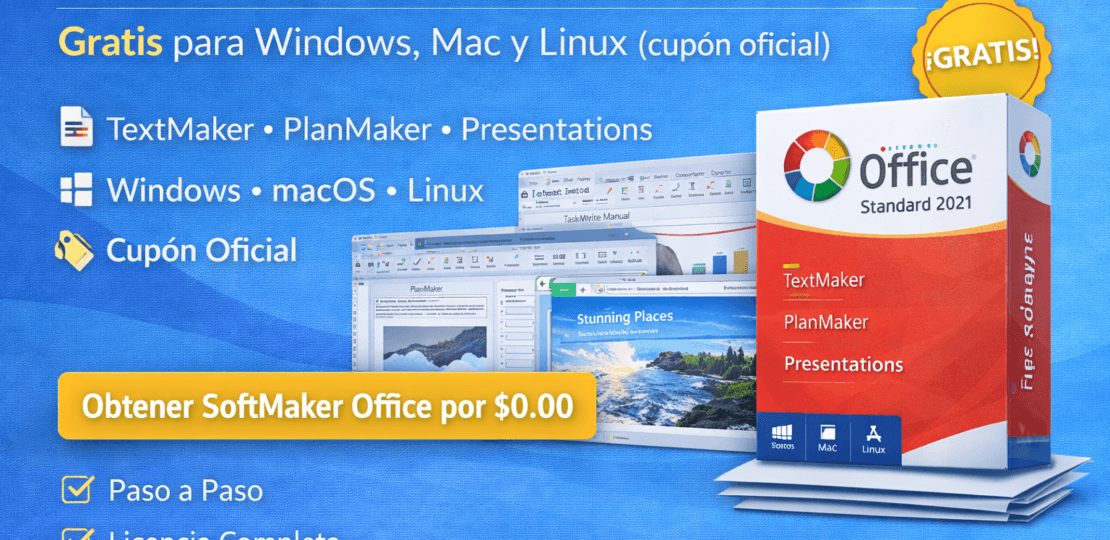
Office Suite • Windows / macOS / Linux • Limited-time promotion
Índice del Articulo
SoftMaker Office Standard 2021 free with coupon: what it includes, compatibility and how to activate it (step-by-step guide)
SoftMaker Office Standard 2021 is a solid alternative to Microsoft Office for those who needdocuments, spreadsheets and presentationswithout relying on subscriptions. In this guide you will see how to obtain it by$0.00 MXNwith the official coupon, which modules it includes, for whom it suits and what real limitations you should consider.

Recommended readings on YKCG.info
What is SoftMaker Office Standard 2021 and for whom does it make sense?
SoftMaker Office is a “classic” office suite: documents, spreadsheets and presentations. The difference is the focus: it keeps an experience very close to what most people already know (menus, bars, shortcuts, format compatibility), but without forcing you to pay monthly.
In practice, it is particularly interesting if:
Basic–intermediate user
You write tasks, resumes, trades, reports, manuals; edit tables and make presentations without requiring complex macros or business integrations.
Advanced user “light”
You need modern formats (DOCX/XLSX/PPTX), good speed and stability; you prioritize working offline and not relying on an account to open files.
What includes: modules and functions that really matter
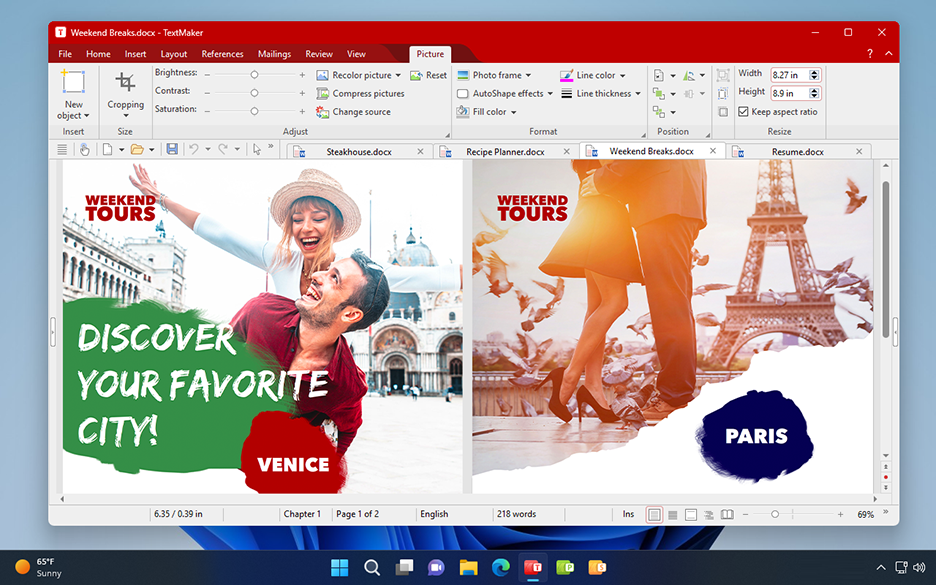
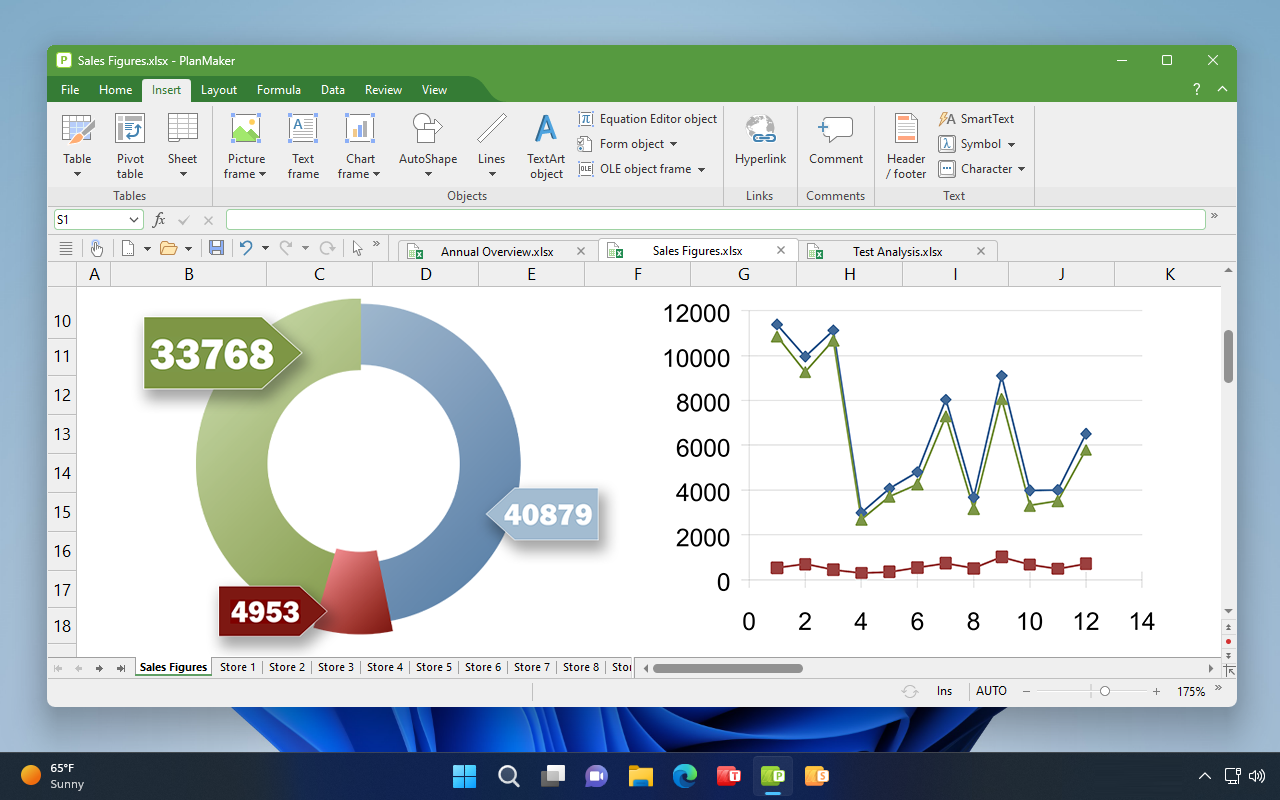
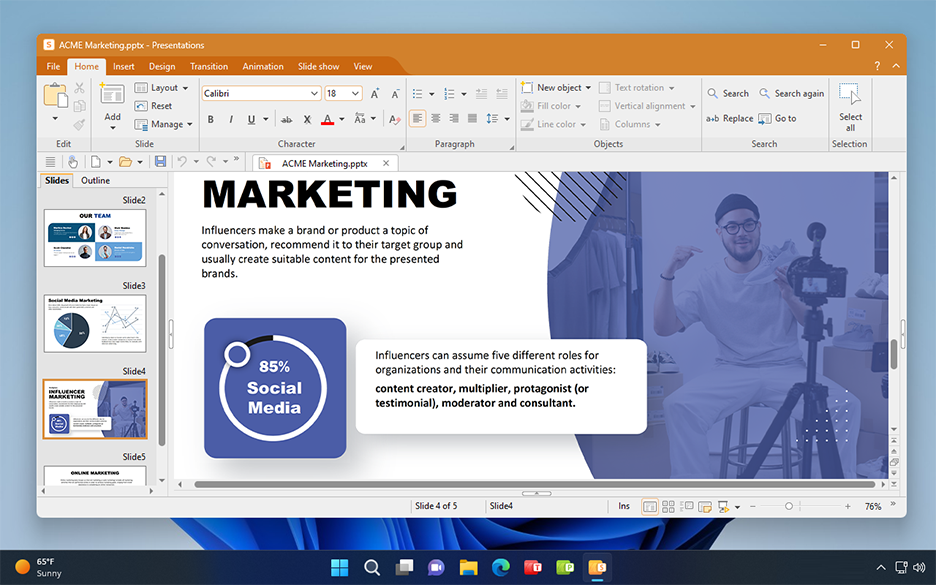
The editionStandard 2021It focuses on the three pillars of productivity. It does not try to reinvent office automation: it focuses on how you can open, edit and export without friction, and that the performance is consistent even with modest equipment.
Offline work, privacy and control: why it suits many
In modern suites there is a clear trend: permanent synchronization, mandatory accounts and cloud-supported features. It’s not always bad, but it’s not what everyone needs. SoftMaker Office has a more traditional approach:install, open, work and save.
This translates into practical advantages: less Internet dependency, less friction when opening files, and a consistent experience in computers where connectivity is not perfect (or you just want to keep sensitive documents locally).

How to get the promotion: clear steps (with images)
The mechanics is simple: you enter the purchase site with the coupon, you confirm that the price remains in$0.00 MXN, complete the purchase and receive the installation/activation data by mail. Below are the steps as they are, with screenshots so you can compare what you see on your screen.
- Go to the promotion page:shop.softmaker.com (cupón officefree)
- Find the productSoftMaker Office Standard 2021for Windows, Mac and Linux.
- Verify that the coupon is already applied and the price is as follows:Mex$ 1,599.00 → Mex$ 0.00(uncounted 100%).
- ClickBuy.
- Log in or create an account (if this is the first time).
- Go to the basket/cart and finish the purchase by$0.00 MXNYou should see.“Order completed”.
- Check your mail: that's where the installation and activation data comes in.
Process captures (click to view full screen):


If you don't see the price at $0.00, confirm that the coupon is applied and that you are in the right product.
Compatibility and requirements: what to check before installing
The advantage here is cross-platform coverage. Still, there are two “quick reviews” that avoid surprises:(1)confirm your system (Windows, macOS or Linux) and(2)validate that your flow depends on standard formats, not very specific functions.
Recommended if you...
- You work with “normal” documents, budgets and presentations (school, business, home).
- You want a stable and fast suite without relying on the Internet to open files.
- You need practical compatibility with common formats to share with third parties.
Do pre-test if you...
- You rely on advanced macros or corporate templates with very strict rules.
- You use Microsoft 365/Closed Ecosystems specific business add-ons.
- You exchange very complex files on a daily basis (better validates 2–3 real cases first).
Practical comparison: SoftMaker Office Standard 2021 vs Microsoft Office
It is not a table “to earn points”. The idea is to help you decide quickly: if your priority iszero cost+ daily use (basic/intermediate), SoftMaker usually fits; if your environment requires corporate integrations and 365 flows, Office may remain mandatory.
| Criterion | SoftMaker Office Std 2021 | Microsoft Office (as edited) |
|---|---|---|
| Price (this promo) | 0.00 MXN | Variable |
| Platforms | Win / macOS / Linux | Depends on the plan |
| Documents, sheets, presentations | Yes (3 apps) | - Yes. |
| Offline use | - Yes. | Yes (with nuances) |
| Compatibility of common formats | Good (practice) | Excellent. |
| Complex corporate templates | Requires proof | • Better support |
| Macros / advanced automation | Case-by-case | More complete |
| Performance in modest equipment | It's usually fluid. | Depends on edition/equipment |
| Ideal for... | Home, school, SME | Company, ecosystem 365 |
| Account unit | Low | Common in plans 365 |
Note: the comparison is general. In Office the result depends on editing (perpetua vs 365), company policies and add-ons.
Common errors in claiming promotions (and how to avoid them)
• “I don’t get it for $0.00”
Check that you are on the promo page with the coupon applied. If the price does not change, reload, clean site cookies or try incognito mode.
• “I don’t get the mail”
Review spam/promotions and make the registered mail correct. If you created an account, confirm that your session was active before the checkout is completed.
Download and install: quick recommendations
To download, use the official product page and/or the links you receive after completing the order. In office automation suites, the typical risk of third parties is to end up in modified installers or “wrappers” with additional software.
Terms and conditions of the promotion (in Spanish)
- Full versionfrom SoftMaker Office Standard 2021.
- License for 5 teamsof the same householdo 1 equipmentof a company.
Frequently Asked Questions (FAQ)
Is this "crack" or illegal activation?
No. The process described is that of an official checkout with coupon applied and delivery of data by mail. However, it is always advisable to keep the purchase mail and proof of the order.
Does it serve as a total replacement for Microsoft Office?
For many everyday uses, yes. If your work depends on complex macros, corporate integrations or extremely specific templates, it is better to validate with your real files before migrating.
Can I install it on more than one computer?
Yes, within the license: up to 5 home equipment or 1 company equipment.
Technical conclusion (no twists)
If you are looking for a functional office suite for day to day,no subscriptionand with a practical focus (documents, tables and presentations), this promotion of SoftMaker Office Standard 2021 is a reasonable opportunity: the cost is$0.00 MXNat the end of the purchase with the coupon applied.
The most sensible recommendation is simple: claim the promotion, install and test with your more complicated 2–3 files. If you pass that test, you already have a long-term usable suite for most domestic and overall productivity scenarios.
Final tip: Save the activation mail and the official installer to a folder. If you reinstall the system, you save searches and reduce the risk of downloading the wrong file.
RELATED POSTS
View all


Download AOMEI MyRecover Pro free of charge during promotion
agosto 28, 2023 | by Equipo YKCG

Apeaksoft Phone Mirror: Reflect Your Mobile on Your PC in Few Steps
julio 17, 2024 | by Equipo YKCG

Customize your experience with PlayerFab Amazon Player
mayo 23, 2023 | by Equipo YKCG