

WiFi Password Recovery: The XenArmor Solution
marzo 29, 2025 | by Equipo YKCG
Índice del Articulo
Introduction to WiFi Password Recovery
Nowadays, Internet access has become an essential service, both for the personal and professional environment. However, many people face the problem of forgetting or losing their WiFi passwords, which can result in interrupted access to the network. This situation not only affects daily connectivity, but can also compromise the security of information and devices connected to the network. When users are unable to access their networks without a password, they are forced to look for solutions that can often be complicated and ineffective.
The reasons behind the loss of network passwords are varied. Some users tend to use complex passwords, making it difficult to remember them. Others may have changed their password without writing it down, while a significant number of people face the situation of inheriting passwords from former service providers. This latter circumstance is usually common when a new device is purchased or a move is made, as the previous WiFi network may inadvertently become an obstacle to the new owner.
In this context, therecoveryWiFi passwords are positioned as a growing need. The XenArmor platform stands out as an effective solution for this downside. It offers tools that allow users to easily and quickly recover their network passwords, ensuring a reset of Internet access without resorting to complicated methods or wasting time. By addressing this issue, XenArmor not only facilitates connectivity, but also helps maintain user data security, providing significant relief in password management. As we move forward on this article, we will explore further how this solution can help users overcome the challenges related to WiFi password recovery.

Main Features of the XenArmor Tool
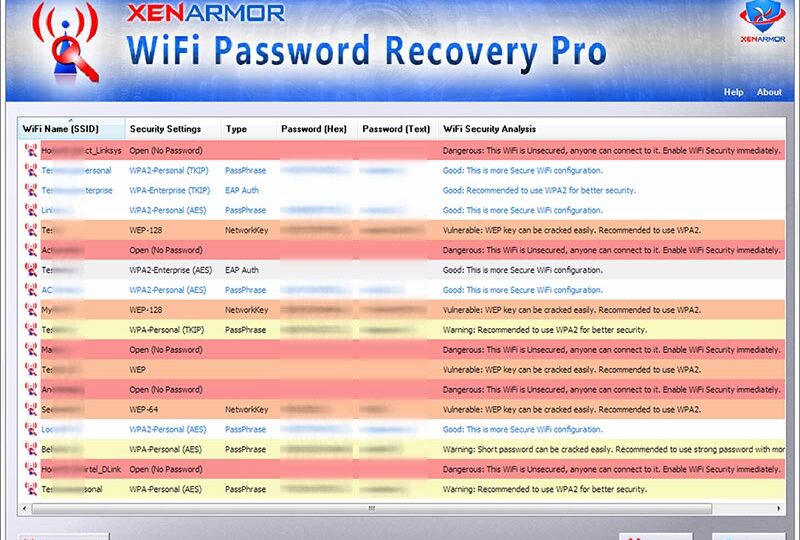
XenArmor’s WiFi password recovery tool stands out on the market thanks to its efficient and versatile design, designed to make it easier for users to recover lost passwords. One of the most notable features of this tool is itseasy to use interface, which allows users, regardless of their technical level, to navigate smoothly through the different menus and options available. This makes password recovery accessible to all, which is especially valuable for those who do not have specialized technical training.
In addition, the XenArmor tool iscompatible with multiple devices and operating systemsIt can be used on desktop computers, laptops and mobile devices, regardless of whether they work with Windows, macOS, or even older versions of these systems. This compatibility ensures that users can recover passwords on various platforms without the need to look for additional solutions.
A key aspect of the tool is its ability torecover passwords from lost networksThis is particularly useful in situations where users have forgotten their access credentials to stored WiFi networks. For example, if a user moves to a new home and needs access to a WiFi connection that they do not have direct access to, this tool allows you to recover the password without complications. It is also effective for users who have changed devices and require access to their previous networks.
In short, the features of the XenArmor tool, which include an intuitive interface, extensive compatibility and advanced recovery capabilities, ensure a satisfying experience for those who need to recover WiFi passwords quickly and safely.
Step by Step: How to Use XenArmor to Recover WiFi Passwords
Recovering WiFi passwords can be a simple and efficient process using the XenArmor tool. The steps you need to follow to install and use this solution are described below, ensuring that you can access your network without complications. Before you start, check that your system meets the minimum requirements, including a compatible Windows operating system such as Windows 10 or earlier versions, and sufficient hardware resources.
First, download the XenArmor tool from your official website. Make sure to choose the right version for your operating system. Once the download is completed, locate the file and double-click to start the installation process. During this process, you will need to accept the terms and conditions. It is advisable to carefully read each step to avoid installing additional unwanted software associated with the tool.
After installation, open XenArmor. In the main interface, you will find an option to scan available networks. By clicking on this option, the tool will start searching for passwords stored on your device. Note that the process may take a few minutes, depending on the number of networks your device has previously managed. To maximize the success of password recovery, make sure that the scanning mode is configured correctly, and if possible, run the tool as an administrator to obtain complete permissions.
Once the scan is finished, XenArmor will present a list of WiFi networks along with their corresponding passwords. You can click on any network to copy the password. Make sure to enter this information in a safe place for future references. Finally, remember to disable any antivirus software temporarily if the tool cannot scan properly, as some security settings may interfere with XenArmor's operation.


Testimonies and User Experiences
XenArmor's WiFi password recovery tool has been used by a variety of users with different needs and contexts. One of the most common testimonials is that of those who have forgotten their domestic network passwords. For example, one user stated that, after several unsuccessful attempts to remember his password, he decided to try the XenArmor solution and managed to quickly recover access to his WiFi network, highlighting the ease of use that the tool offers.
Another success case includes a system administrator who needed access to previously configured networks, but without password access. This user highlighted how XenArmor allowed him to recover all passwords stored on his device, thus facilitating his work and saving him significant time. Effectiveness and speed in recovery are some of the aspects most praised by users in their reviews.
However, not all comments have been positive. Some users expressed concern about data security during the recovery process. They recommend that additional measures be implemented to ensure that the tool does not compromise user privacy. On the other hand, several users suggested including more detailed tutorials to help those who may not be so technical to navigate the interface more easily.
Despite these criticisms, praise in general far outweighs concerns. Most users agree that the tool is effective, easy to use and solves common problems related to WiFi password recovery. In short, the testimonials and experiences gathered underline XenArmor’s potential as a reliable solution in situations where network access is critical.
Get WiFi Password Recovery Pro FREE!
Steps to Get It:
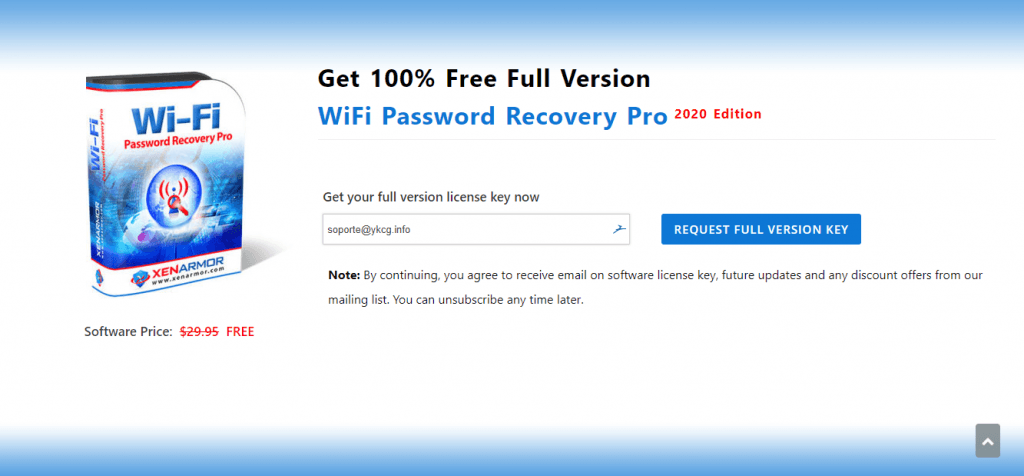
- Go to the promotion page.
- Enter your email address and click“Request Full Version Key”.
- You will receive an email with the activation license and download link.
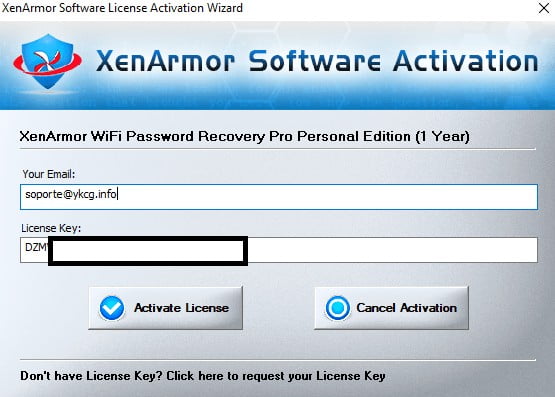
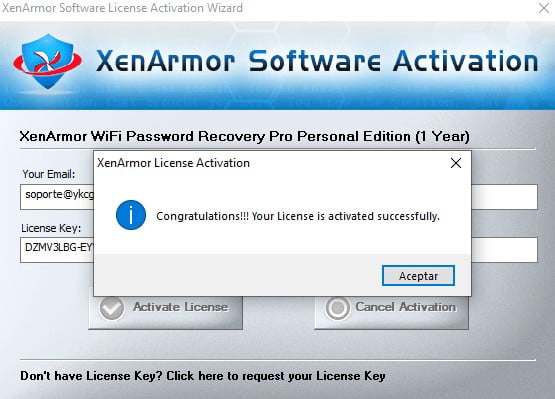
- Download, install and activate the software.
Terms and Conditions
- • Promotion valid bylimited time.
- License valid by1 year.
- License fordomestic useIt's forbidden to sell.
RELATED POSTS
View all


Ashampoo Burning Studio 2021 #8211; Record CDs, DVDs and Blu-rays
marzo 30, 2021 | by Equipo YKCG
Driver Booster 10 Key #8211; License + Free Updates
septiembre 12, 2023 | by Equipo YKCG

Magoshare Data Recovery: Recover your lost data
junio 26, 2023 | by Equipo YKCG