

VPN Pro Secure VPN Premium free on Android: Does it really protect your connection?
febrero 23, 2026 | by Equipo YKCG
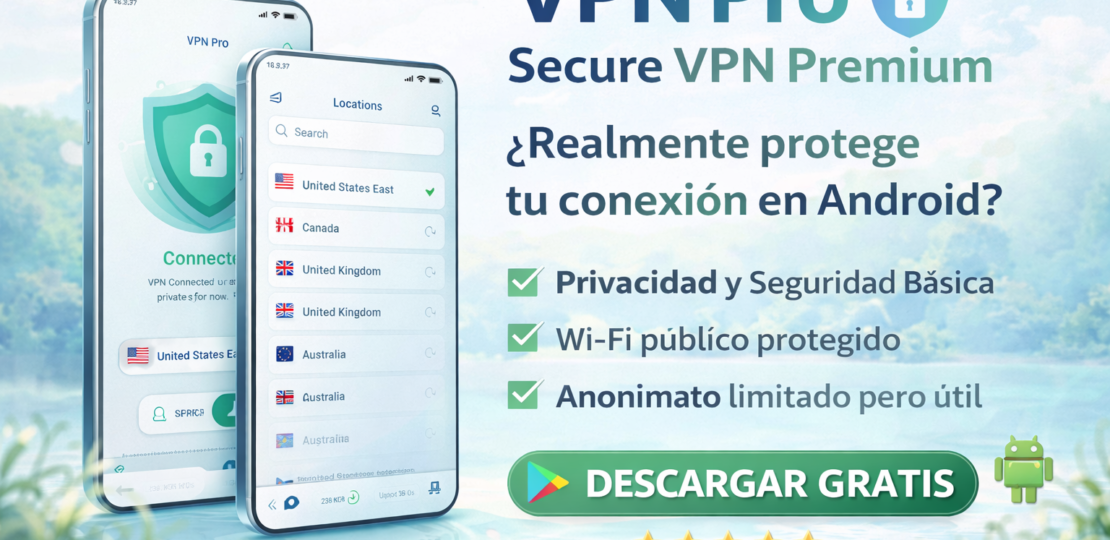
VPN Pro - Secure VPN Premium: An honest guide and review for using VPN on Android
VPN Pro - Secure VPN Premium is an Android VPN app focused on improving theprivacyand protect your connection on public Wi-Fi networks. Here we analyze it with an editorial approach: what you can do, what you can not, how to configure it and how to take advantage of a promotion if you appear at $0.00 on Google Play.
Updated:23/02/2026
Who's it for?Users ofAndroidthat they wantbasic securitywhen connecting to public Wi-Fi (cafés, hotels, airports), reducing network tracking and navigating with more privacy without getting complicated.

1) What it does and what it DOES NOT do
What's he doing?
- Traffic Encryptionbetween your mobile phone and VPN server (use in public Wi-Fi).
- Hide your IPagainst the local network and certain basic trackers.
- It can helpreduce network locks(e.g. if a Wi-Fi restricts services), depending on the server.
What doesn't he do?
- It doesn’t make you “invisible”: if you log in to your accounts, your identity remains associated with your own logins.
- It doesn't block on its own.phishingor malware (for that you need habits + additional protection).
- It does not guarantee access to all streaming catalogs: many services detect and block VPN.
- You can slow down or upload latency, especially with distant servers.
Useful context:If your goal is “total security”, a VPN is a complement, not a substitute. For clearer decisions, check:free vs. pay.
2) How to use it correctly (clear and safe steps)
- Install only from Google Play(official link at the end of this article).
- Open the app and accept Android VPN permission (it's normal: Android asks for confirmation to create the VPN tunnel).
- Choose aclose server(same region/country if available) for better speed and lower latency.
- PulseConnectand check the VPN icon in the top bar.
- If you are in public Wi-Fi, activate VPN before opening banking, mail or sensitive accounts.
- When finished, disconnect to save battery if you don't need it always active.
Privacy tip:combines VPN with good practices: updates to the day, reliable apps, and links care. If your problem is recovering access to your Android (blockers), here is a real guide:my experience with Dr.Fone Screen Unlock.
3) Recommended configuration (by scenarios/hardware)
If you're solving hardware themes (e.g., wet speaker), here's a useful tool:Clear Wave Water Exact Pro.
4) Expected results (without promising miracles)
- Basic privacy:less exposure of your IP in public networks and less risk of local espionage.
- Practical safety:best protection when using open Wi-Fi for sensitive accounts.
- Performance:you can slow down or upload the ping (depends on the server and network).
Actual expectation:a good VPN improves privacy in transit, but does not replace device security (clean app, permissions, updates).
(5) Requirements and compatibility
- Platform:Android.
- Installation:from Google Play (recommended).
- Permissions:standard permission for “VPN Connection” from Android.
- Connection:requires internet to work (Wi-Fi or mobile data).
6) Official promotion (if applicable) with steps and conditions
Promo on Google Play:if you see the price in$0.00You can install it for free.
Official link: View in Google Play
Steps (safe and simple)
- Open the official page on Google Play.
- Check that the price is$0.00.
- ClickInstall.
- Open the app, accept VPN permission and connect to a nearby server.
Verified condition:promotion available for Android for limited time. Price and availability may vary by region and change without notice.
7) Alternatives + when other
1) Built-in browser VPN / Safe Mode
Useful if you only want light protection when navigating, without tunneling the entire system. Ideal for casual users.
2) Recognized premium VPN (best support and policies)
Suitable if you need stability, support and transparency in privacy policies (e.g. for remote work).
3) Safe DNS + safety habits
If your priority is to block malicious sites, a safer DNS more good practices can be more useful than a “basic” VPN.
4) Mobile security suite
Suitable if you want wider protection (antiphishing, app analysis, etc.). To understand real differences:free vs. pay.
8) FAQ (common questions with search intention)
Does a VPN make me anonymous on the internet?
Improve your privacy by hiding your IP and encrypting traffic, but it doesn't make you anonymous if you keep using your accounts (Google, social networks, etc.).
Does it serve for public Wi-Fi?
Yes. It is one of the best uses: it reduces the risk of local interception in open networks.
Do you slow down the internet?
You can slow down or upload latency. Choose nearby servers and try several to find the most stable.
What permissions does a VPN need on Android?
Android requires permission to create the VPN tunnel. It’s normal. It distrusts if it asks for extra unnecessary permissions.
Can I use VPN and antivirus at the same time?
Yes. They are different complements. To better understand the approach:free anti-virus vs payment.
What do I do if I need to recover access to my Android?
If the theme is screen lock (not VPN), here is a real experience:Dr.Fone Screen Unlock on Android.
9) Recommended internal links
If you're putting together your security kit and Android utilities, these resources can help you:
10) Editorial Transparency Note + Legal Disclaimer
Editorial transparency:This content is informative and links official sources (Google Play) for the user to check price and availability.
Disclaimer:The price, availability, features and conditions may change by region or by decision of the developer. Always check on Google Play before installing. A VPN improves privacy in transit, but does not guarantee absolute anonymity or replace device security and protection practices.
Join our Telegram to not miss promotions
That's where I'm warning you.official promotions, limited time licenses and quick guides to install/activate securely. If you like to save time looking, it will serve you.
What you'll find
- New Promos Alerts
- Reminders before they're done
- Tips for Safe Activation
Note: We always share official links and recommend checking conditions and dates on the provider's website.
RELATED POSTS
View all


VIPRE Advanced Security for Home #8211; Protect your private data
junio 11, 2023 | by Equipo YKCG

G DATA Total Security 8211; Anti-Ransomware Protection 2021
mayo 3, 2021 | by Equipo YKCG
AnyMusic for Mac 038; Windows: Download Music Easy and Fast
diciembre 26, 2024 | by Equipo YKCG