

Tipard FixMP4: Repair Corrupt Videos with Easy
agosto 6, 2024 | by Equipo YKCG

Índice del Articulo
Tipard FixMP4: Repair your damaged videos easily
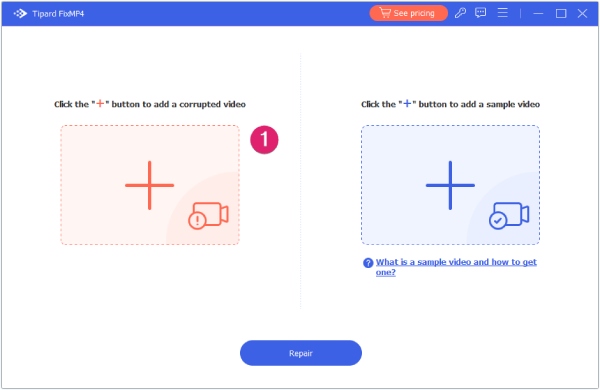
Do you have videos that are damaged or that you can't play?Tipard FixMP4is the ideal solution to repair video files in formats like MP4, MOV, AVI and 3GP. With this tool, you will be able to fix damaged files automatically after uploading and recovering videos that became unusable during download, processing, conversion or transfer.
Repair Corrupt Video Files in Any Situation
Tipard FixMP4you can repair videos that cannot be played due to multiple reasons, such as errors during downloading, transfer damage, editing errors, incorrect compression codecs, broken recordings, etc. No matter how your video has been damaged, this software can fix it.
Repair MP4, MOV, AVI and 3GP videos at 4K/1080p/720p
WithTipard FixMP4, you have a comprehensive solution to repair video files in all resolutions, from ultra sharp 4K to clear 1080p and practical 720p. No matter the resolution, this software ensures that your videos are restored to their original quality.
Repair Video Tapes from Any Device
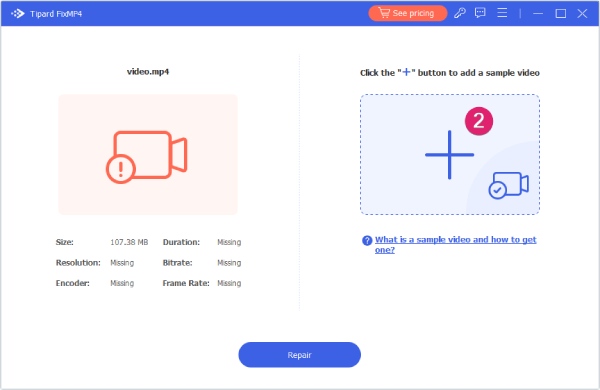
Tipard FixMP4does not discriminate and repair MP4 videos and other video files coming from any device, be it a NIKON camera, CANON or Sony, a smartphone like iPhone 14/15, or a camcorder. No more concerns about how to fix corrupt video files: our video repair software is at your disposal.
Explore More about Video Repair
Repair with a Right Click
Quickly repair a video on your computer with convenient shortcut in the right-click menu using the repair option with just one click.
High Success Rate
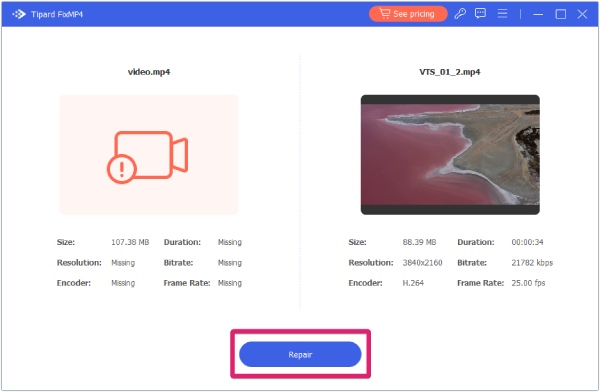
Repairs the video file with a success rate of up to 99.99%, especially when the sample file is provided correctly.
Quick Preview
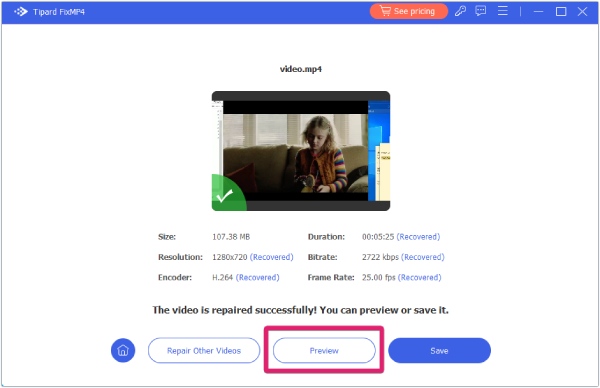
Watch the repaired video in this video repair software for 10 seconds to make sure the damage has been completely removed.
Learn More Video Repair Tools
If you are looking for other software options to repair videos, we recommend exploringAnyRec Video Repair, another excellent software for video repair.
Get your Tipard FixMP4 License
To obtain a license, follow these steps:
- Go to thepromotion page.
- Enter your data and click “Get Now”.
- You will receive an email with activation data.
- Download, install and activate the software.
Download link: Download Tipard FixMP4
Regular price: $49.96 USD
During the promotion: $0.00 USD

Terms and Conditions
License valid for 1 year.
Non-commercial use.
It does not include free updates.
It does not include free technical support.
RELATED POSTS
View all


Repair Corrupt and Damaged Videos with AnyRec Video Repair Free
octubre 30, 2024 | by Equipo YKCG

EaseUS VideoKit Pro: Lifetime License and Unlimited Updates
noviembre 2, 2023 | by Equipo YKCG
AweClone for Windows 038; Mac: Disk Cloning License
agosto 12, 2024 | by Equipo YKCG