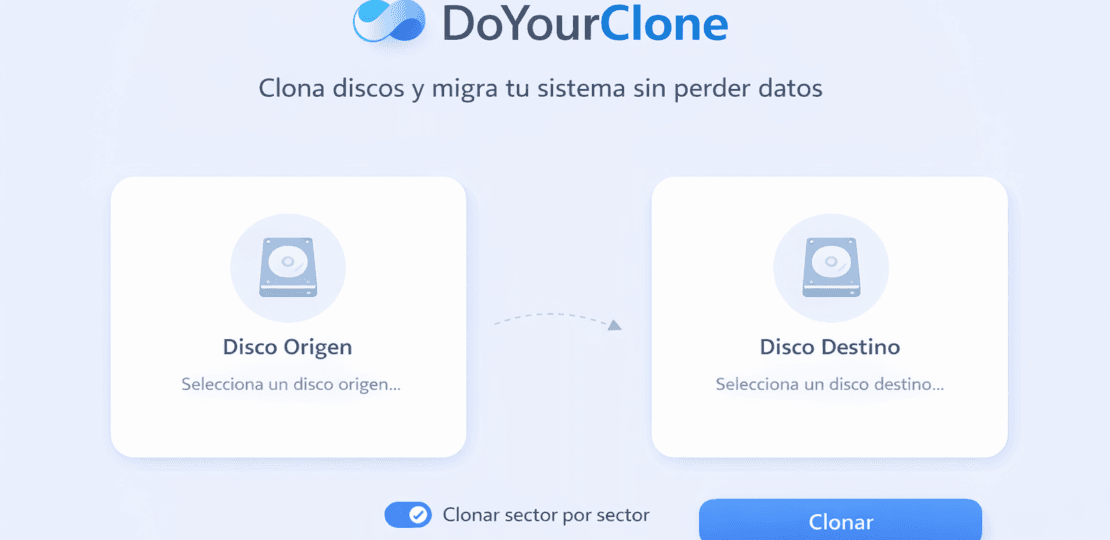
Cloning a disk is the fastest way tomigrate Windows to an SSD, replace an old disk or create an exact copy ready to boot. In this guide you will learn how to useDoYourClone:What's he doing?,how it works,when appropriate, thebest practicesand howactivate a licensefor personal use.
Get a free license for DoYourCloneand clone your disk or partition to migrate your system with a practical and safe method.
Índice del Articulo
Steps to get it
- Download DoYourClone
Use the download link and save the installer.
- Install on your computer
Install as administrator to avoid permission errors.
- Activate with code
Enter your activation key in the app.
Keys and download
Download:
Activation license
- Windows:
G535W-5H6I4-P8MEJ-YF5XT-F3ZYJ - Mac:At the moment not available
Terms and conditions
- Lifetime leave ofDoYourClone 3.1 for WindowsoDoYourClone 3.9 for Mac.
- It does not include free updates to new versions.
- It does not include free technical support.
- For personal (non-commercial) use only.
Tip: In the Telegram group I share promotions, licenses and useful tools to optimize your PC and protect your data.
What is DoYourClone and what is it for?
DoYourCloneis a software ofcloning of disks and partitions. Its purpose is to accurately copy the contents of one drive (HDD/SSD/USB) to another, retaining structure, partitions and, when applied, boot components.
Real cases where it helps
- Migrate Windows to SSDwithout reinstalling or reconfiguring.
- Replace a wearable disc by keeping everything the same.
- Create a backup clone for quick recovery.
- Clone only data (per partition) if you prefer to separate system and files.
What should you NOT expect?
- It’s not just “copy folders.” Cloning includes structure and partitions.
- It does not replace a backup strategy (ideal to combine both).
- It does not convert a damaged disk to “healthy” (you can copy bugs if they exist).
How Cloning Works (the Essential to Don’t Mistake)
Cloning replicates structural elements of storage. If you intend to migrate an operating system, you must consider partitions and boot (not just files).
| Concept | What does it mean? | Why it Matters |
|---|---|---|
| Cloning Disk | Copy the entire drive with partitions. | Ideal for migrating Windows and booting the same as the original. |
| Clone Partition | Copy only one specific partition. | Useful to back up data without touching the entire system. |
| MBR / GPT | Partition table type. | It affects compatibility and booting (UEFI/Legacy). |
| Boot Partitions | Components that initiate the system. | If missing, the clone may “see well” but not boot. |
Main functions of DoYourClone
Cloning of complete disk
The most used mode to migrate system to SSD or replace disk without reinstalling.
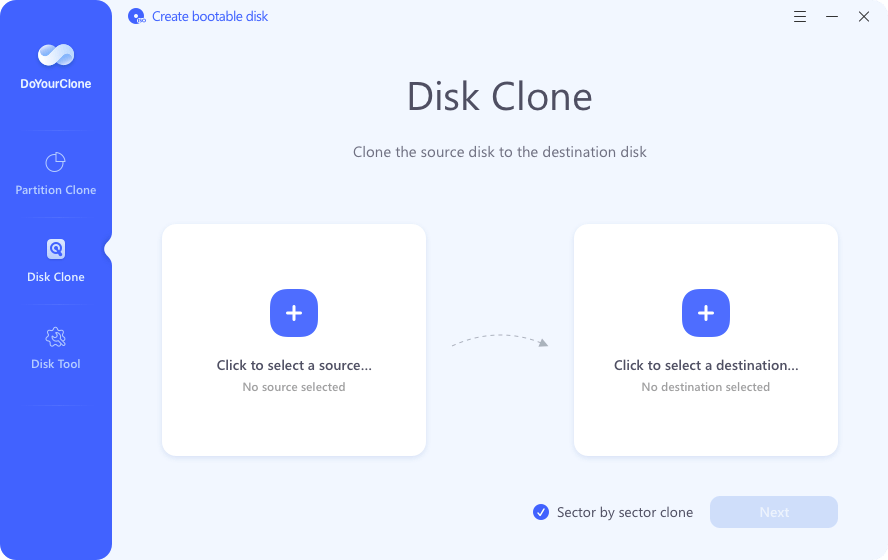
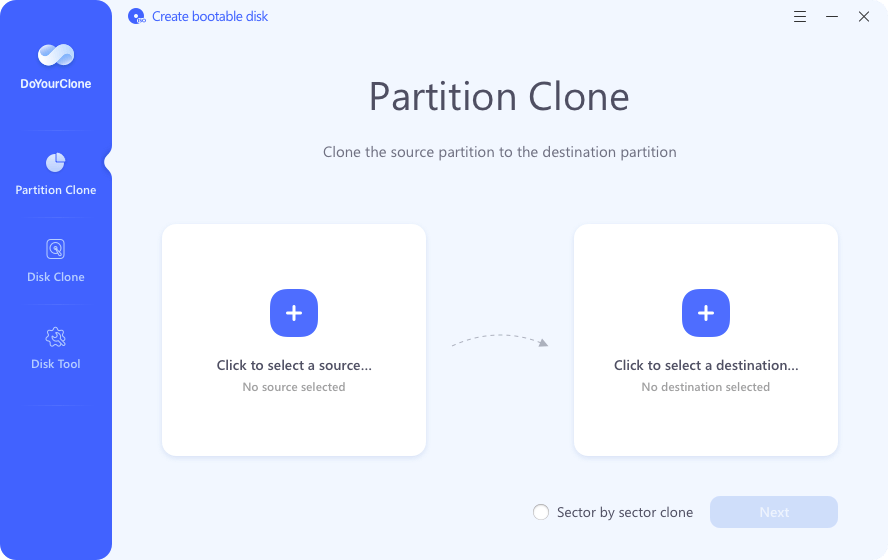
Partition Cloning
Ideal if you just want to copy data or a specific partition.
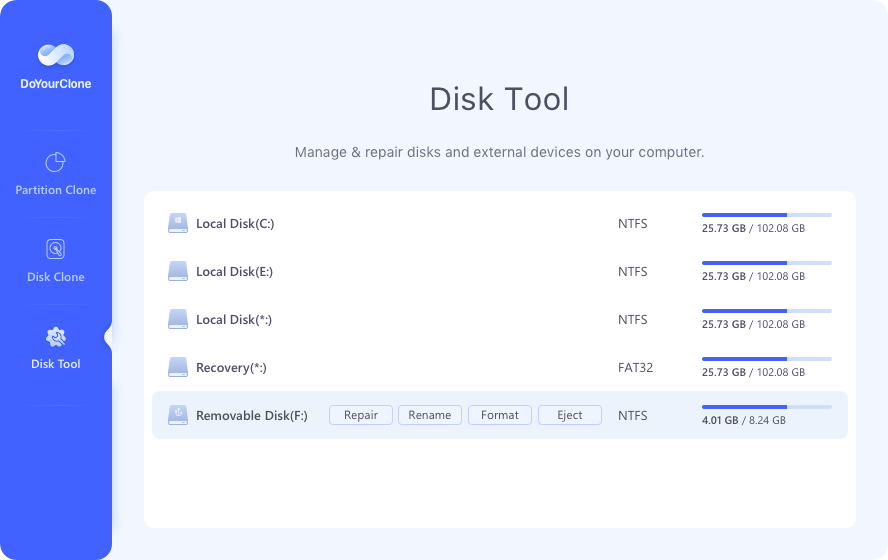
Disk Tools
Utilities for preparing and managing disks before cloning.
How to clone a disk step by step (recommended method)
Previous Checklist (Avoids Serious Errors)
- Destination disk withcapacity equal or greaterthe origin (if you clone the entire disk).
- Stable connection (SATA/NVMe ideal; USB works but can be slower).
- Close heavy programs during the process.
- If you suspect source failures, check your health before cloning.
Steps
- Choose the Right Mode
UseDisk Cloneto migrate system; orPartition Cloneto copy data only.
- Select source disk
The current disk (the one with Windows or your main data).
- Select Destination Disk
Your new SSD/HDD. Review size and name: the destination is overwritten.
- Start Cloning
Confirm and wait for it to end. Do not interrupt the process.
- Test the boot
Turn off, disconnect the previous disk if you can and check that it starts from the new one.
Common disk clone errors (and how to avoid them)
1) Smaller destination
Solution:uses an equal or greater destination, or clones only partitions when applied.
2) Origin disk with faults
Solution:reviews the health of the disk, supports the critical and avoids cloning corruption.
(3) Interruptions
Solution:stable energy; avoid blackouts and reboots during cloning.
4) Do not check boot
Solution:changes boot order or disconnects the old disk to test.
Recommended readings on ykcg.info
- Anti-virus promotions and guides on ykcg.info — ideal to complement safety and protection of the system.
- All about VPN and privacy (internal search) — improve your security posture by migrating/supporting equipment.
- Optimization and related content (game search) — useful if you also want to improve overall PC performance.
FAQs (optimized for SEO)
Does DoYourClone work to migrate Windows to an SSD?
Yes. With disk cloning you can copy the system and boot from the SSD without reinstalling.
Cloning erases my files?
The source disk is not deleted. The target disk is overwritten, so you must back up what you have.
Can I clone just one partition?
Yes. Use the partition cloning mode to copy only data or a specific partition.
Does the free license include updates?
No. It is for life for the specified version, without free updates to new versions (according to shared terms).
Mac has a license available?
At the moment not available (according to the information you shared).
Conclusion
If your goal isclone disksomigrating your systemwithout starting from scratch, DoYourClone is a practical option because of its direct focus. The key is the method: choose well origin/destiny, avoid interruptions and check the start at the end.