

Ashampoo Photo Commander 15: View, edit and organize
mayo 14, 2021 | by Equipo YKCG
Índice del Articulo
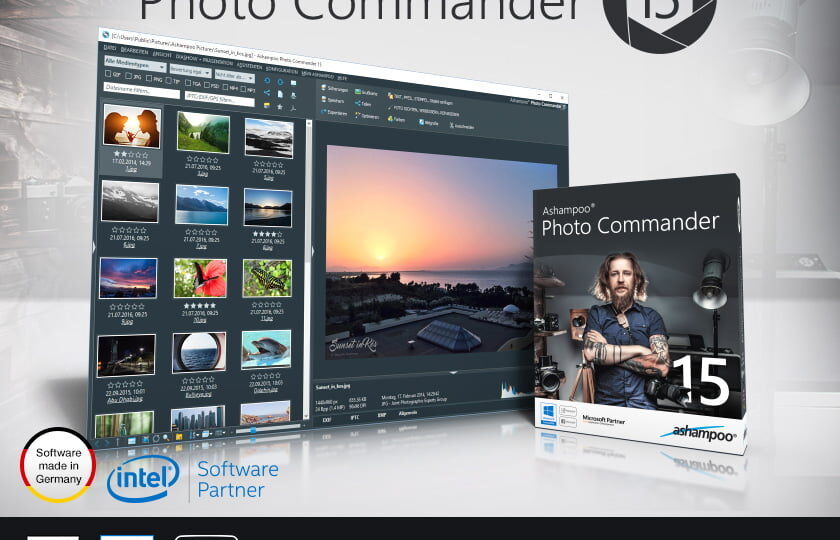
Ashampoo Photo Commander 15: View, edit and organize from an application
The new one!AshampooPhoto Commander 15 is the complete solution to view, edit and organize your photos, geo-labelling included! Put order in the photo library, optimize by batch multiple files at once or create and design your own calendars, greeting cards and slideshows with ease.
Control and navigate your slideshows on the PC while the slides appear on a screen or projector! With just a few clicks, beginners, amateurs and professionals alike will achieve impressive results.
Benefits at a glance
 | Ready to use and customize individually greeting cards, web albums and calendars |
| Convert GPS data from JPG and RAW images to specific locations |
| Filter photos by country, city, street and even street number |
| Fascinating design tools for maximum creativity |
| Cut people and objects easily |
| Ready to use and customize individually greeting cards, web albums and calendars |
| More than 60 stunning effects |

Perfectly organized - including huge collections
As your library grows, it becomes more and more difficult to track all your photos. Numerous filters and grouping forms help to debug your library depending on location, date, format or rating. Sort the photos in chronological order, according to themes or based on personal criteria and add more structure to your photo collection.
The power of geo-labelling
Modern mobile phones and cameras use geo-labelling to store data about where each photo was taken. Ashampoo Photo Commander 15 not only processes this data, but turns longitudes and latitudes into usable directions! Photos related to vacation, family or business are now more accessible than ever!
Add and use geo-labelling
Missing geotags in your images? No problem! You can create them yourself for any number of photos, no knowledge is required. You just need to fill in the position or address and it will be all. From now on, Photo Commander can filter your images by location and help you find exactly what you are looking for no matter how big your collection is. Or navigating from start to finish through the holiday photos of your last trip - could not be easier.
Present to perfection
Whether you're enjoying your photos alone or with your friends, you'll love the new presentation mode. Use your main screen to control the flow and your secondary screen to present your photos! It's also perfect for projectors, to modify your photos in real time without leaving the presentation. Next to the new animations, you can now add a powerful new presentation tool to your arsenal.
Picture editing?
Cut people and objects easily or correct red eyes and image defects with a few clicks. Modify the perspective of your photos, experiment with amazing effects or discover the professional side of the program with gradation curves and corrections of tonal values. Everything you want, everything you need.


To get a license follow these steps
- Create an account on the Ashampoo page.
- Go to the promotion page.
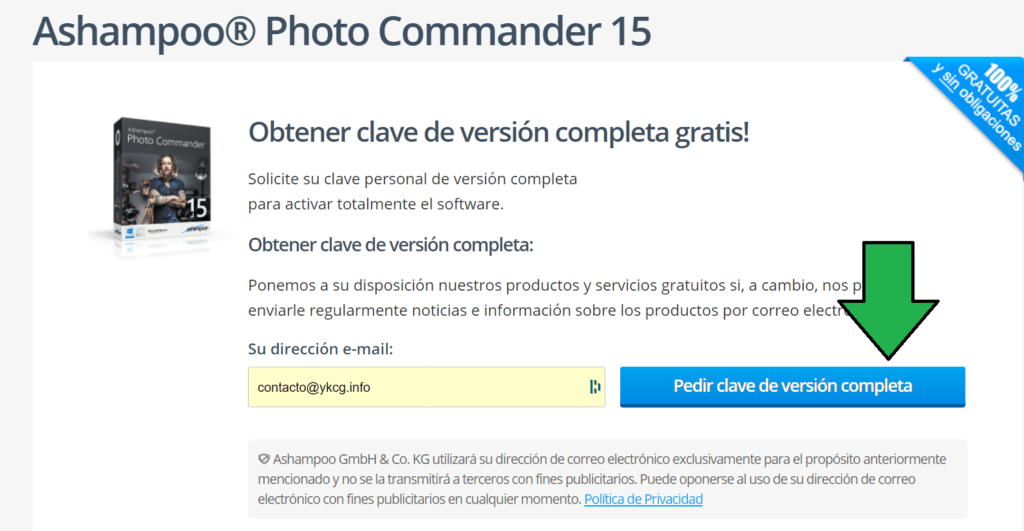
- Enter your email address and click on ‘Ask for full version key’.
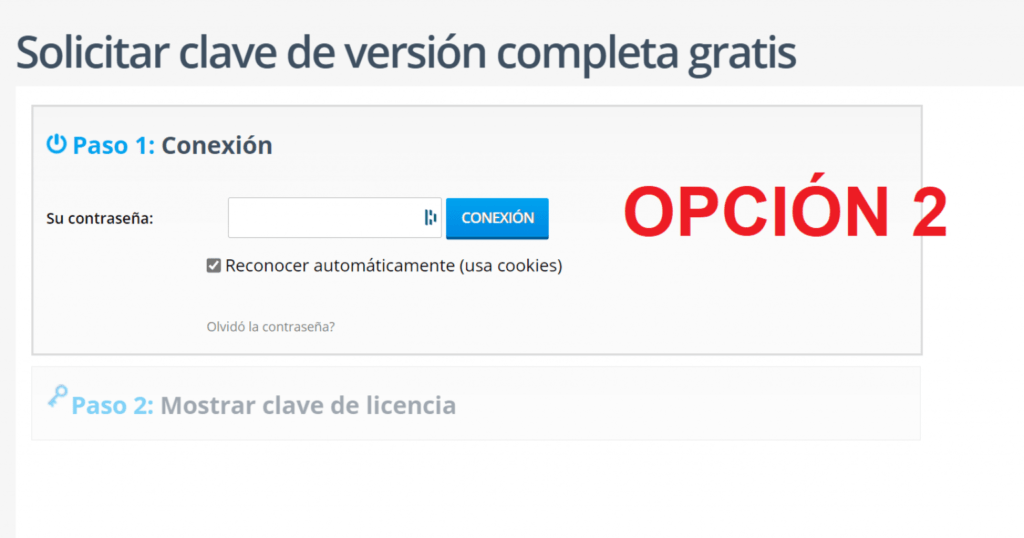
- Here you can pass two cases:
1. You will request to verify your email account.
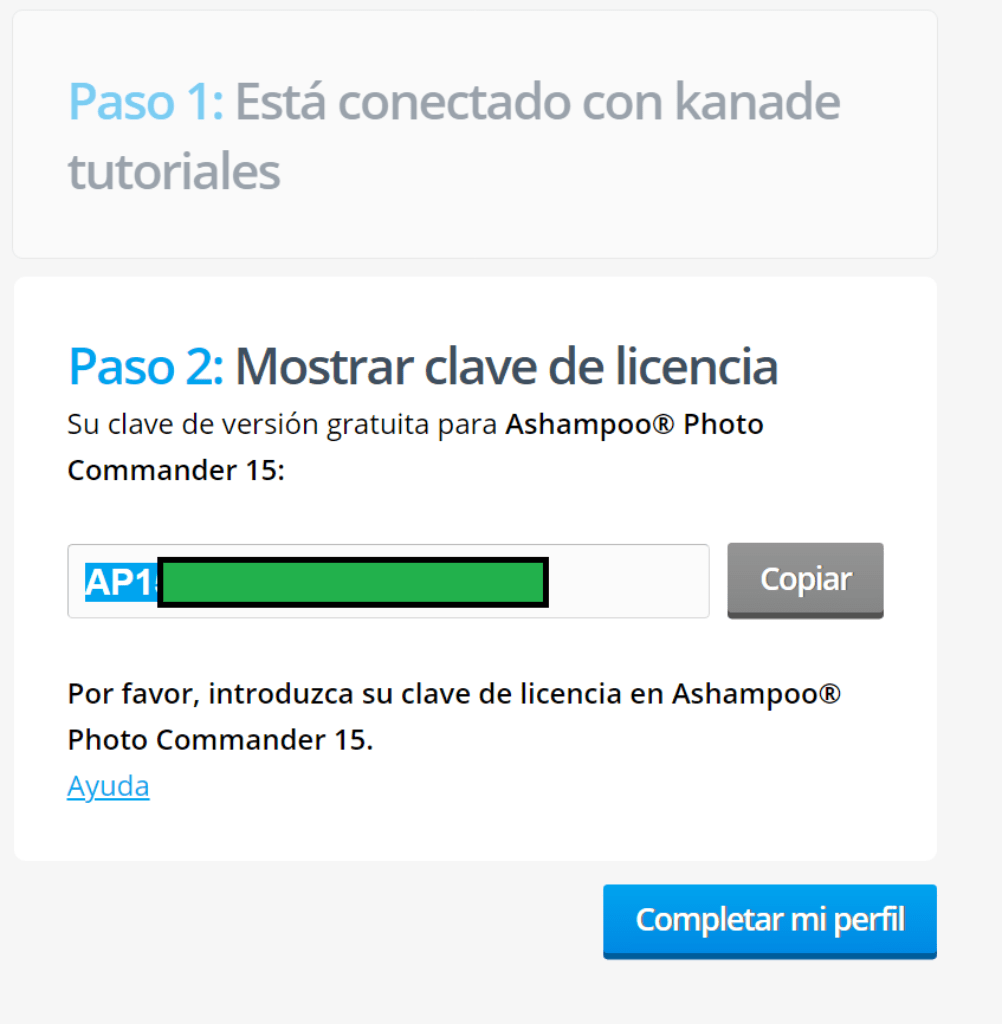
2. Request to log in. - Download and install Ashampoo Photo Commander 15.
- Enable using your account or by entering the license code obtained
| Ashampoo Photo Commander 15 | Regular price: €9.99 Today: €0.00 |
|---|---|
| Link to create an account: | Click here to create an account |
| Promotional link: | Click here to go to the promotion |
| Download link: | Download Ashampoo Photo Commander 15 |

Terms and conditions
- Lifetime license for personal use.
- It does not include free updates.
- It does not include free technical support.
RELATED POSTS
View all


Coolmuster PDF Splitter Full Free Divide PDF Free
octubre 27, 2024 | by Equipo YKCG
Download Amazon Prime Video in 1080p and with EAC3 5.1 audio tracks
mayo 28, 2023 | by Equipo YKCG

Ashampoo Core Tuner 2: Improves processor power
octubre 26, 2021 | by Equipo YKCG